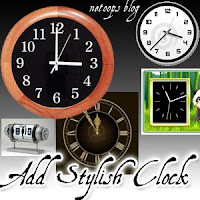
- First of all SignIn to your Blogger Account
- Select Design->Page Elements
- Click on Add Gadget
- Select HTML/javascript from it,then copy the code of clock you want.
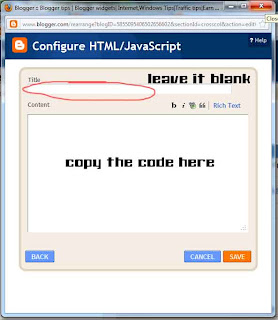
Step 1: If you want a NON Static Clock Widget,then Just copy and paste the code to HTML/javascript content.
If you want a cool static clock,then first do the step above and Click HERE
Add Stylish Flash Clock 1
- If you want to add this Clock,then Copy and paste the below code
Add Stylish Flash Clock 2
- If you want to add this Clock,then Copy and paste the below code
Add Stylish Flash Clock 3
- If you want to add this Clock,then Copy and paste the below code
Add Stylish Flash Clock4
- If you want to add this Clock,then Copy and paste the below code
Add Stylish Flash Clock4
- If you want to add this Clock,then Copy and paste the below code
Add Stylish Flash Clock5
- If you want to add this Clock,then Copy and paste the below code
Add Stylish Flash Clock6
- If you want to add this Clock,then Copy and paste the below code
Add Stylish Flash Clock#
- If you want to add this Clock,then Copy and paste the below code
Add Stylish Flash Clock 7
- If you want to add this Clock,then Copy and paste the below code
Add Stylish Flash Clock 8
- If you want to add this Clock,then Copy and paste the below code
Add Stylish Flash Clock 9
- If you want to add this Clock,then Copy and paste the below code
Add Stylish Flash Clock 10
- If you want to add this Clock,then Copy and paste the below code
Add Stylish Flash Clock@
- If you want to add this Clock,then Copy and paste the below code
Add a Static Clock
Step 2:- Copy and Paste the CSS code below after the code of clock.
- Then click on Save.
If you feel any confusion or doubt then please do comment.
